# Supporter Program (/self-host/supporter-program)
> Support Pangolin development and remove UI elements with a supporter key
**Supporter Program Phased Out**
The supporter program has been phased out in Pangolin v1.19. You can continue to use your supporter key on older Pangolin instances. New Pangolin instances skip the key prompt.
Enterprise Edition is **free** for personal use. See [Enterprise Edition](/self-host/enterprise-edition) to apply for a license.
## Supporter Tiers [#supporter-tiers]
**Perfect for small teams**
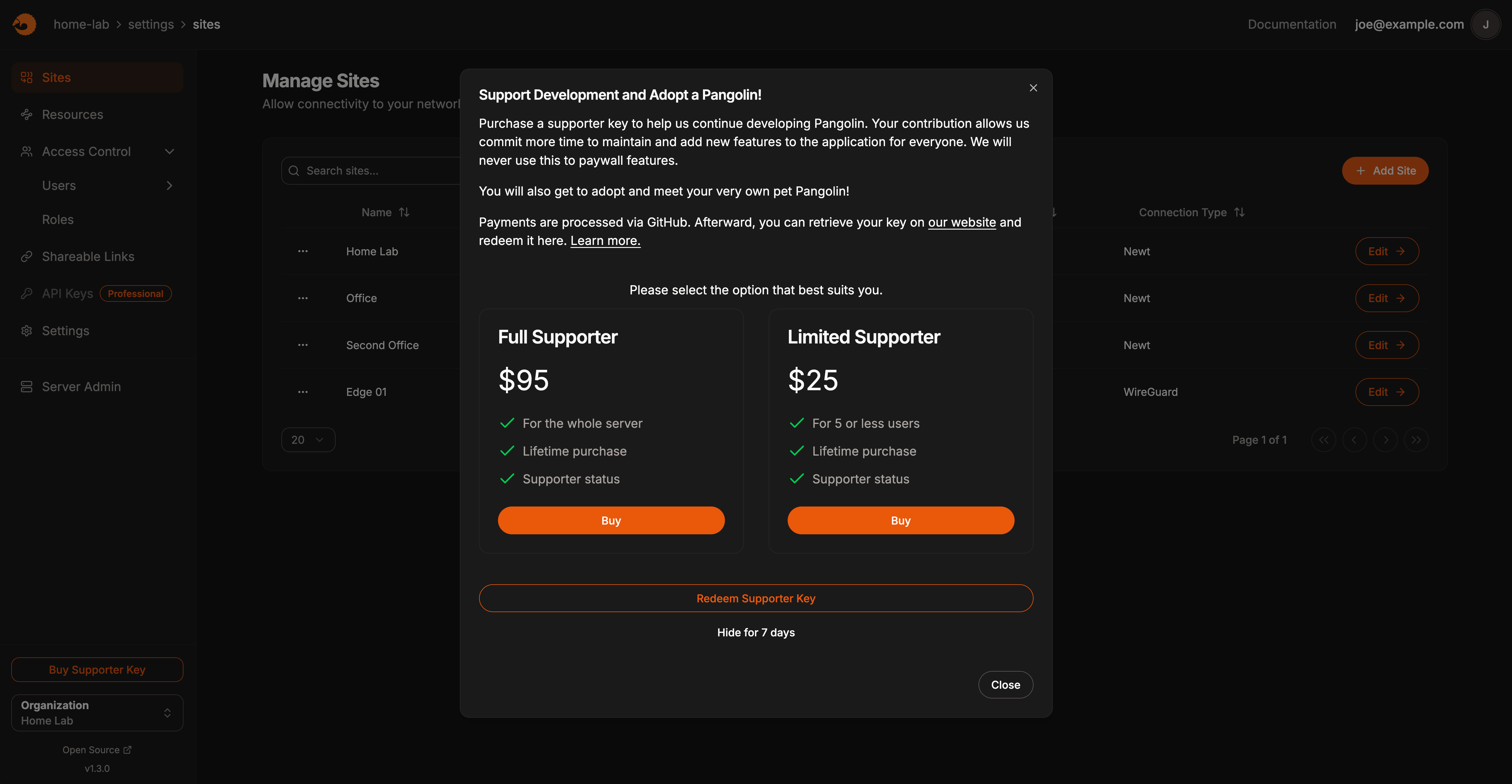
* **User limit**: 5 or fewer users
* **Support button**: Removed from UI
* **Usage**: Unlimited servers and installations
* **Upgrade**: Available to Full Supporter
Once you add your 6th user, the support button will return. Remove a user or upgrade to Full Supporter to hide it again.
**Perfect for larger teams**
* **User limit**: Unlimited users
* **Support button**: Permanently removed
* **Usage**: Unlimited servers and installations
* **Best value**: For growing teams
The support button and other marks will never return, regardless of user count.
 ## How to Get Your Supporter Key [#how-to-get-your-supporter-key]
Go to our [GitHub Sponsors page](https://github.com/sponsors/fosrl) and purchase either:
* **Limited Supporter**: $25 one-time
* **Full Supporter**: $95 one-time
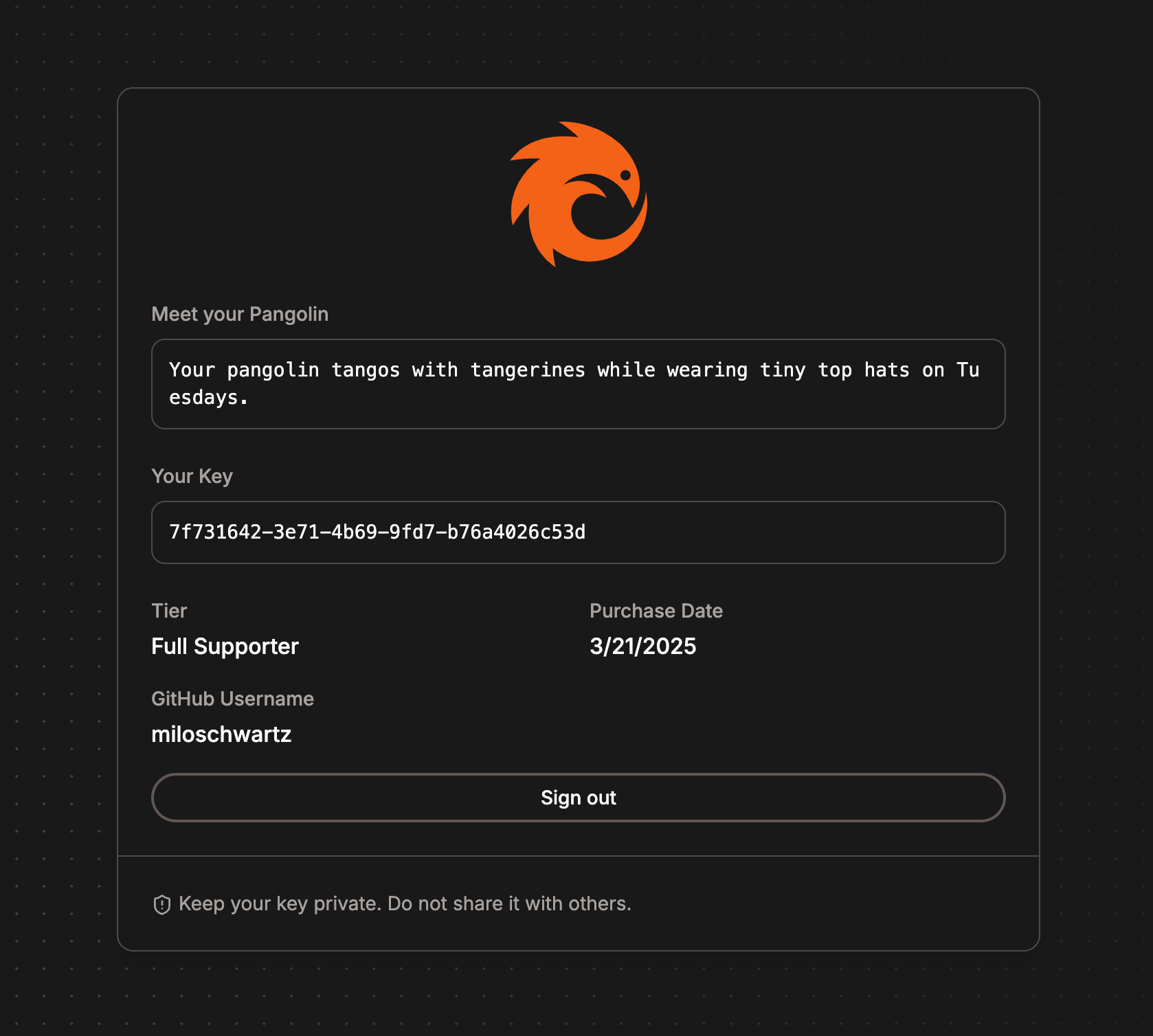
After purchase, visit [supporters.fossorial.io](https://supporters.fossorial.io) and:
1. Log in with your GitHub account
2. Copy your supporter key
In your Pangolin dashboard:
1. Click the supporter button
2. Enter your supporter key
3. Click "Redeem"
## How to Get Your Supporter Key [#how-to-get-your-supporter-key]
Go to our [GitHub Sponsors page](https://github.com/sponsors/fosrl) and purchase either:
* **Limited Supporter**: $25 one-time
* **Full Supporter**: $95 one-time
After purchase, visit [supporters.fossorial.io](https://supporters.fossorial.io) and:
1. Log in with your GitHub account
2. Copy your supporter key
In your Pangolin dashboard:
1. Click the supporter button
2. Enter your supporter key
3. Click "Redeem"
 ## Frequently Asked Questions [#frequently-asked-questions]
Github sponsors does not currently support other payment methods. We hope to add more options in the future.
**Unlimited usage**
You can use your supporter key on as many servers and installations as you want. There are no restrictions on the number of deployments.
**Yes, but requires new purchase**
To upgrade from Limited to Full Supporter:
1. Purchase the Full Supporter ($95) tier on GitHub
2. Your account will be automatically upgraded
3. Restart your Pangolin server to update the status
Due to GitHub's tier system, you must purchase the higher tier even if you already have the lower one. This results in an extra donation, which we appreciate!
**Temporary hiding available**
You can click "Hide for 7 days" at the bottom of the supporter dialog to temporarily hide the button without purchasing a supporter key.
**Thanks for the extra donation!**
You can only obtain one supporter key per tier. Additional purchases of the same tier won't change your key, but we appreciate the extra support!
**No refunds available**
GitHub Sponsors does not allow us to refund donations. Please make sure you're comfortable supporting the project before purchasing a tier.
**Limited Supporter restrictions**
If you have a Limited Supporter key and add your 6th user:
* The support button will return to the UI
* You can either remove a user or upgrade to Full Supporter
* Your key remains valid for other installations
Full Supporter keys have no user limits.
## Frequently Asked Questions [#frequently-asked-questions]
Github sponsors does not currently support other payment methods. We hope to add more options in the future.
**Unlimited usage**
You can use your supporter key on as many servers and installations as you want. There are no restrictions on the number of deployments.
**Yes, but requires new purchase**
To upgrade from Limited to Full Supporter:
1. Purchase the Full Supporter ($95) tier on GitHub
2. Your account will be automatically upgraded
3. Restart your Pangolin server to update the status
Due to GitHub's tier system, you must purchase the higher tier even if you already have the lower one. This results in an extra donation, which we appreciate!
**Temporary hiding available**
You can click "Hide for 7 days" at the bottom of the supporter dialog to temporarily hide the button without purchasing a supporter key.
**Thanks for the extra donation!**
You can only obtain one supporter key per tier. Additional purchases of the same tier won't change your key, but we appreciate the extra support!
**No refunds available**
GitHub Sponsors does not allow us to refund donations. Please make sure you're comfortable supporting the project before purchasing a tier.
**Limited Supporter restrictions**
If you have a Limited Supporter key and add your 6th user:
* The support button will return to the UI
* You can either remove a user or upgrade to Full Supporter
* Your key remains valid for other installations
Full Supporter keys have no user limits.