> ## Documentation Index
> Fetch the complete documentation index at: https://docs.pangolin.net/llms.txt
> Use this file to discover all available pages before exploring further.
# Event Streaming
> Stream Pangolin log events to external collectors and SIEM tools
Fastest way to get started with Pangolin using the hosted control plane. No credit card required.
Log streaming forwards your organization's audit logs to external data collectors such as Datadog, Splunk, Microsoft Sentinel, Elastic, or any HTTP endpoint you operate. You add a **destination** (how events are delivered), choose which **log types** to include, and Pangolin pushes new events as they are recorded.
Event streaming is only available in [Pangolin Cloud](https://app.pangolin.net/auth/signup) or self-hosted [Enterprise Edition](/self-host/enterprise-edition).
## In the dashboard
Open **Organization → Logs & Analytics → Streaming** to add destinations and monitor delivery status. Each destination has its own connection settings, optional body customization (where supported), and log-type selection.
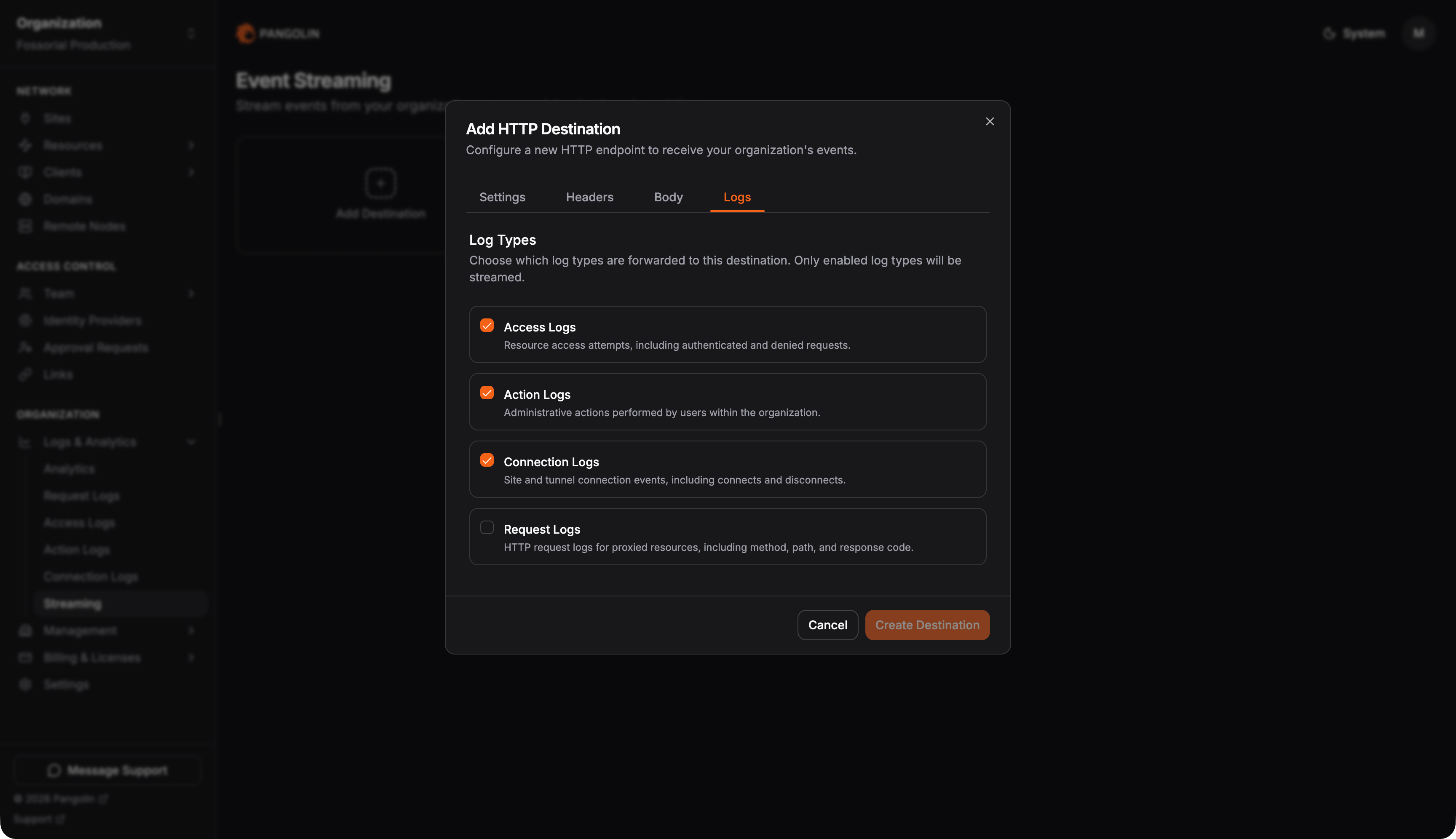
## Log types
You choose which categories each destination receives. Only log types enabled for your organization can be streamed.
 ## Destination types
Each destination type has its own configuration and payload behavior. Select **Add destination** and pick a delivery method.
## Destination types
Each destination type has its own configuration and payload behavior. Select **Add destination** and pick a delivery method.
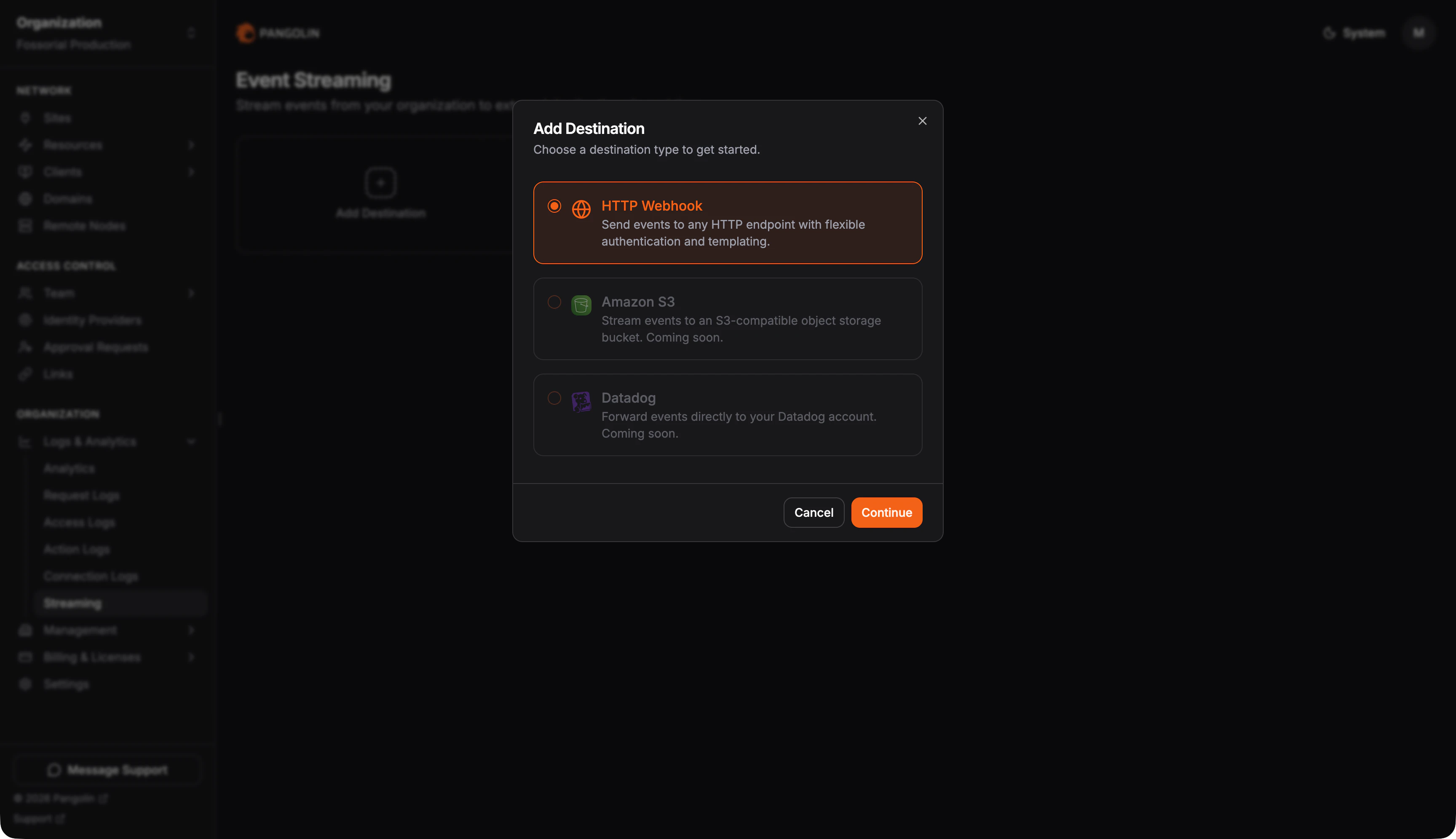 POST JSON or NDJSON to any URL. Supports custom body templates, authentication, and payload formats for SIEMs and generic webhooks.
Upload batched audit logs to S3 or S3-compatible storage. JSON array, NDJSON, or CSV with optional gzip.
### Other destinations
Amazon S3 and HTTP webhooks are documented above. For Datadog, Microsoft Sentinel, or other vendor-specific setups, contact [sales@pangolin.net](mailto:sales@pangolin.net).
* **No backfill:** New destinations start from the current log cursor. Historical logs already in Pangolin are not replayed.
* **Per-log-type cursors:** Each enabled log type on a destination is tracked independently.
* **Errors in the UI:** When delivery fails, the destination's last error is shown in the dashboard so you can fix configuration or endpoint issues.
POST JSON or NDJSON to any URL. Supports custom body templates, authentication, and payload formats for SIEMs and generic webhooks.
Upload batched audit logs to S3 or S3-compatible storage. JSON array, NDJSON, or CSV with optional gzip.
### Other destinations
Amazon S3 and HTTP webhooks are documented above. For Datadog, Microsoft Sentinel, or other vendor-specific setups, contact [sales@pangolin.net](mailto:sales@pangolin.net).
* **No backfill:** New destinations start from the current log cursor. Historical logs already in Pangolin are not replayed.
* **Per-log-type cursors:** Each enabled log type on a destination is tracked independently.
* **Errors in the UI:** When delivery fails, the destination's last error is shown in the dashboard so you can fix configuration or endpoint issues.