

Manage Organizations
View every organization on a self-hosted instance from the server admin panel
The server admin panel is for the people who run a self-hosted Pangolin instance. It already includes a master list of every user on the server, across all organizations. Pangolin 1.23 adds the same kind of list for organizations.
Organizations Table
Open Server Admin → Organizations to see every organization on the instance in one place. Each row shows the organization name, ID, owner, and counts for users, sites, and resources.
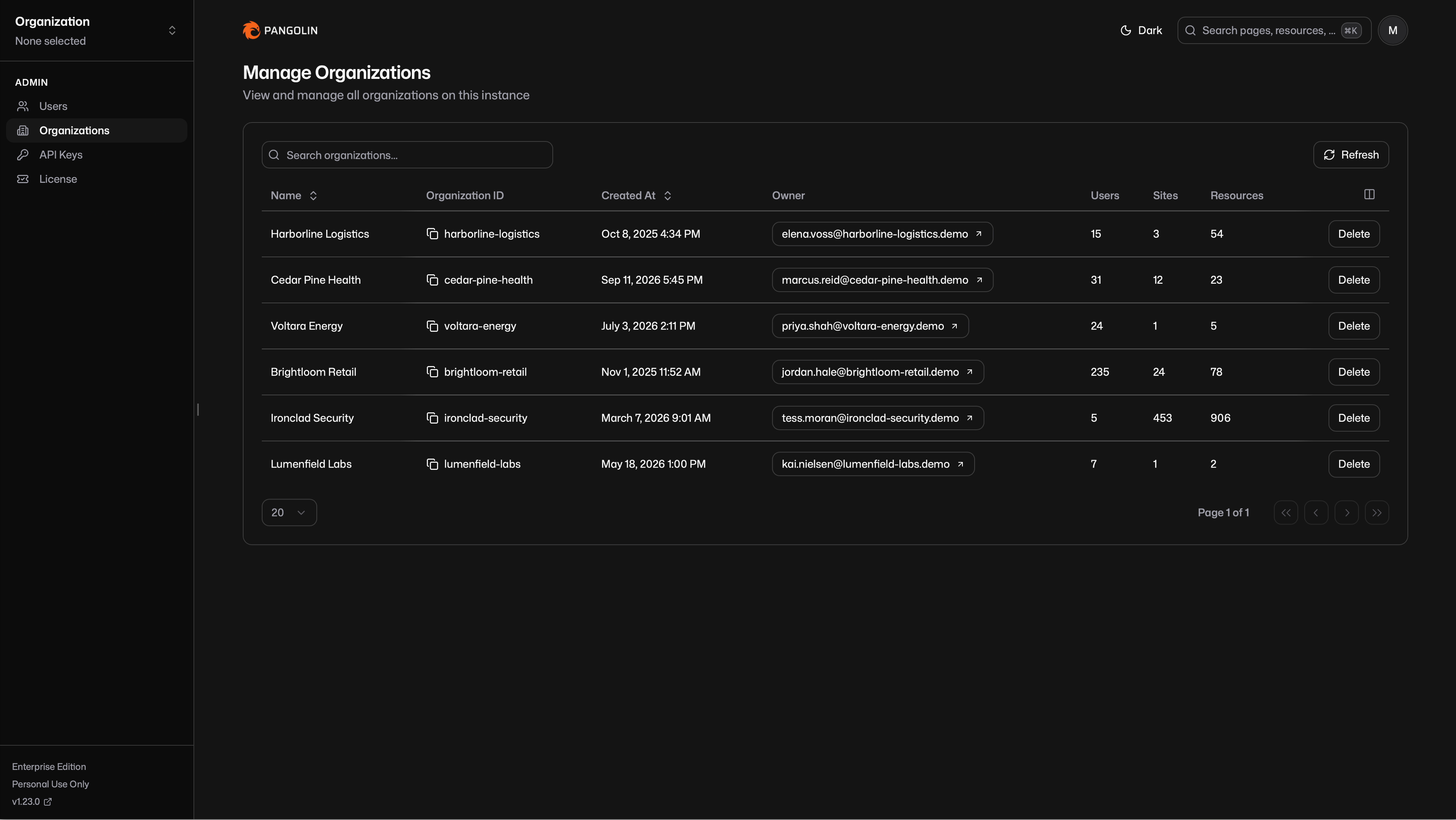
You can search the table and delete an organization from it.
Visibility and Membership
Server admins can see this list even if they are not a member of an organization. That visibility is limited to the table. It does not add the server admin as a member, and it does not let them impersonate one.
To see an organization's contents in the dashboard, a server admin still has to be a member of that organization.
Was this page helpful?