

AI Gateway Overview
Route coding agents and AI clients through Pangolin with centralized providers and access control
An AI Gateway resource is a normal Pangolin resource that proxies requests to one or more upstream AI providers (OpenAI, Anthropic, Google Gemini, Bedrock, Vertex AI, or a custom endpoint). Point a client at the resource's URL instead of the provider's, and Pangolin handles auth, access control, and logging in front of it. See Pangolin vs. Bifrost vs. LiteLLM if you are comparing Pangolin to a traditional LLM gateway.
How It Fits Together
- Providers are configured once per organization - the upstream URL, API key, and capabilities for OpenAI, Anthropic, etc.
- Resources (type
AI Gateway) attach one or more of those providers and get a normal Pangolin domain. - Virtual API Keys are what clients send to a public AI Gateway resource. Private resources are reached through the Pangolin network, so the gateway does not check a key.
- The Model Catalog is the known-model list and token pricing used by model routing and budgets.
- Budgets cap estimated USD spend or token usage on a provider, model, resource, role, or key.
- Session Logs store prompt and response transcripts for each call.
- Usage Analytics charts cost, tokens, and request volume across providers, resources, roles, users, and keys.
A resource only understands the API format(s) its attached providers support. An Anthropic provider makes the resource speak the Anthropic Messages API; an OpenAI provider makes it speak Chat Completions/Responses; a Gemini provider makes it speak Gemini's generateContent API. Attach whichever providers match the clients you plan to connect. See AI Providers for per-type setup and Provider Configuration for capabilities, auth, and model lists.
1. Add a Provider
Create an org-level provider so the gateway has an upstream to call. Sidebar → AI Gateway → Providers → Create, or follow the AI Providers guide. Pick a type, paste in its API key, and save. You can add as many as you need.
2. Create a Resource
Resources → Create → set Type to AI Gateway, pick a domain, and attach the provider(s) from step 1. You can also attach providers to an existing resource later from its AI Gateway settings tab. How public and private AI Gateway resources reach users is covered on the public and private resource type pages.
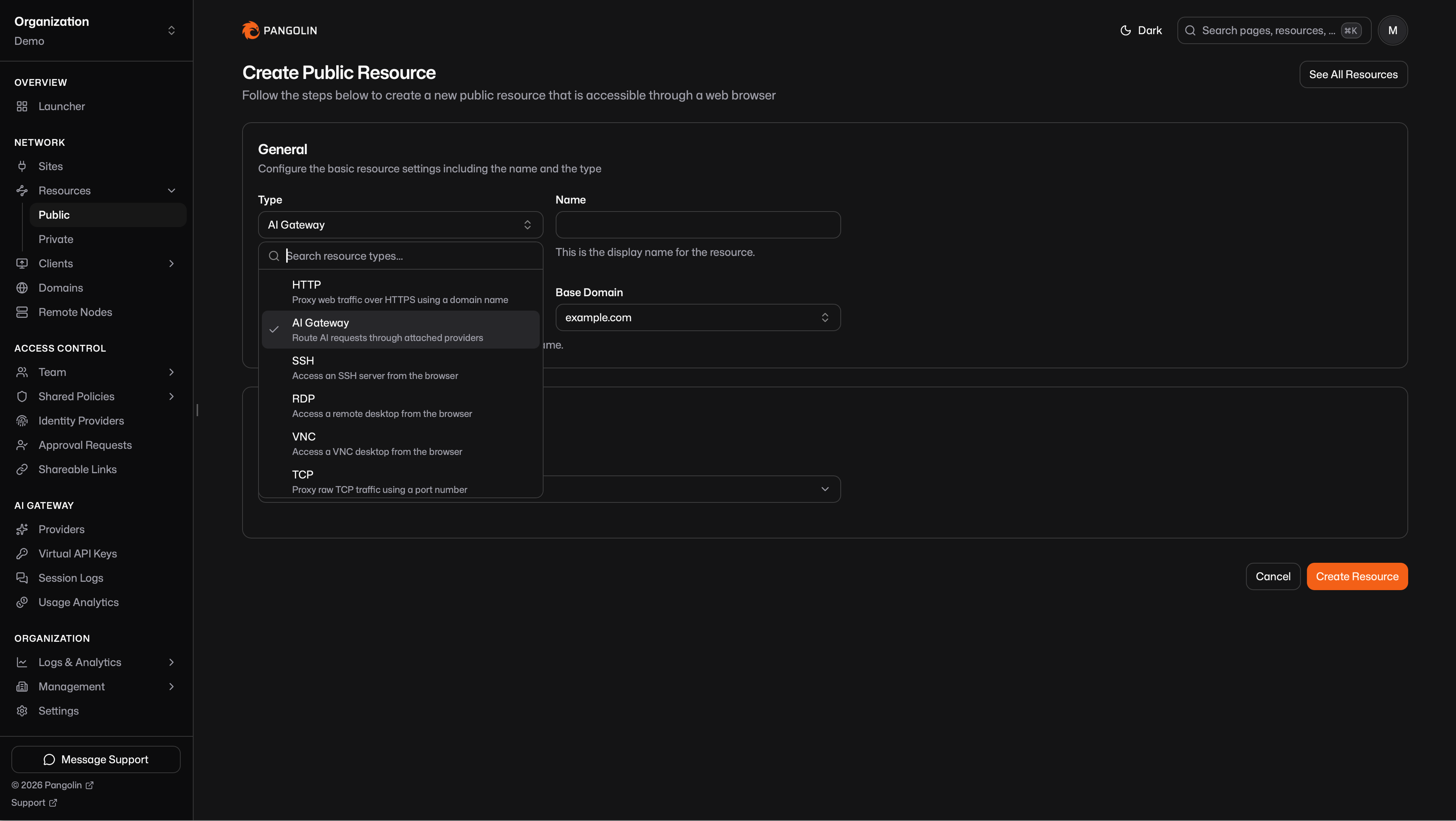
You can create more than one AI Gateway resource so different users and roles get their own providers. Distinct hostnames are the usual approach; they can also share a FQDN. See Multiple Gateway Resources.
3. Authenticate to the Gateway
How a client authenticates depends on whether the resource is public or private.
Private Resources
Reachable only on devices connected with the Pangolin client. Identity comes from that connection, so you do not issue a virtual API key. The desktop client already proved who is calling. Details are on the private AI Gateway resource page.
Public Resources
Reachable from anywhere. The gateway checks a virtual API key on every call. Details are on the public AI Gateway resource page.
4. Connect a Coding Agent, Agent, or AI Client to the Gateway
Every resource has ready-to-copy setup for common clients, and pangolin configure <client> can write the config for you. Full instructions per client:
| Client | Needs a provider that speaks | Guide |
|---|---|---|
| Claude Code | Anthropic Messages | Setup guide |
| Codex | OpenAI Chat/Responses | Setup guide |
| OpenCode | Anthropic Messages and/or OpenAI Chat | Setup guide |
| Gemini CLI | Gemini generateContent | Setup guide |
There are also guides for pointing other tools at a Pangolin AI Gateway resource:
Supported Providers
Each type has its own configuration guide. Capabilities (which API formats a provider speaks) are explained in Provider Configuration.
| Provider | Default capabilities | Guide |
|---|---|---|
| OpenAI | Chat Completions, Responses | Configure |
| Anthropic | Messages | Configure |
| Google Gemini | generateContent | Configure |
| Vertex AI | Google generateContent/rawPredict | Configure |
| Amazon Bedrock | Converse | Configure |
| Microsoft Foundry | Chat Completions, Responses, Messages | Configure |
| OpenRouter | Chat Completions | Configure |
| Vercel AI Gateway | Chat Completions, Responses | Configure |
| Custom | Whatever you select | Configure |
Use Custom for any upstream that isn't in the typed list. Assign whichever capabilities it speaks - OpenAI, Anthropic, Gemini, Vertex, Bedrock, or a mix. A Moonshot AI (Kimi) endpoint is one example: select Anthropic Messages and point at its Anthropic-compatible URL.
Was this page helpful?