

OAuth2/OIDC
Configure OpenID Connect identity provider for external authentication
This identity provider follows the OpenID Connect protocol. This means that it can be used to connect to any external identity provider that supports the OpenID Connect protocol such as Authentik, Keycloak, Okta, etc.
Creating a Generic OAuth2/OIDC IdP in Pangolin
In Pangolin, go to "Identity Providers" and click "Add Identity Provider". Select the OAuth2/OIDC provider option.
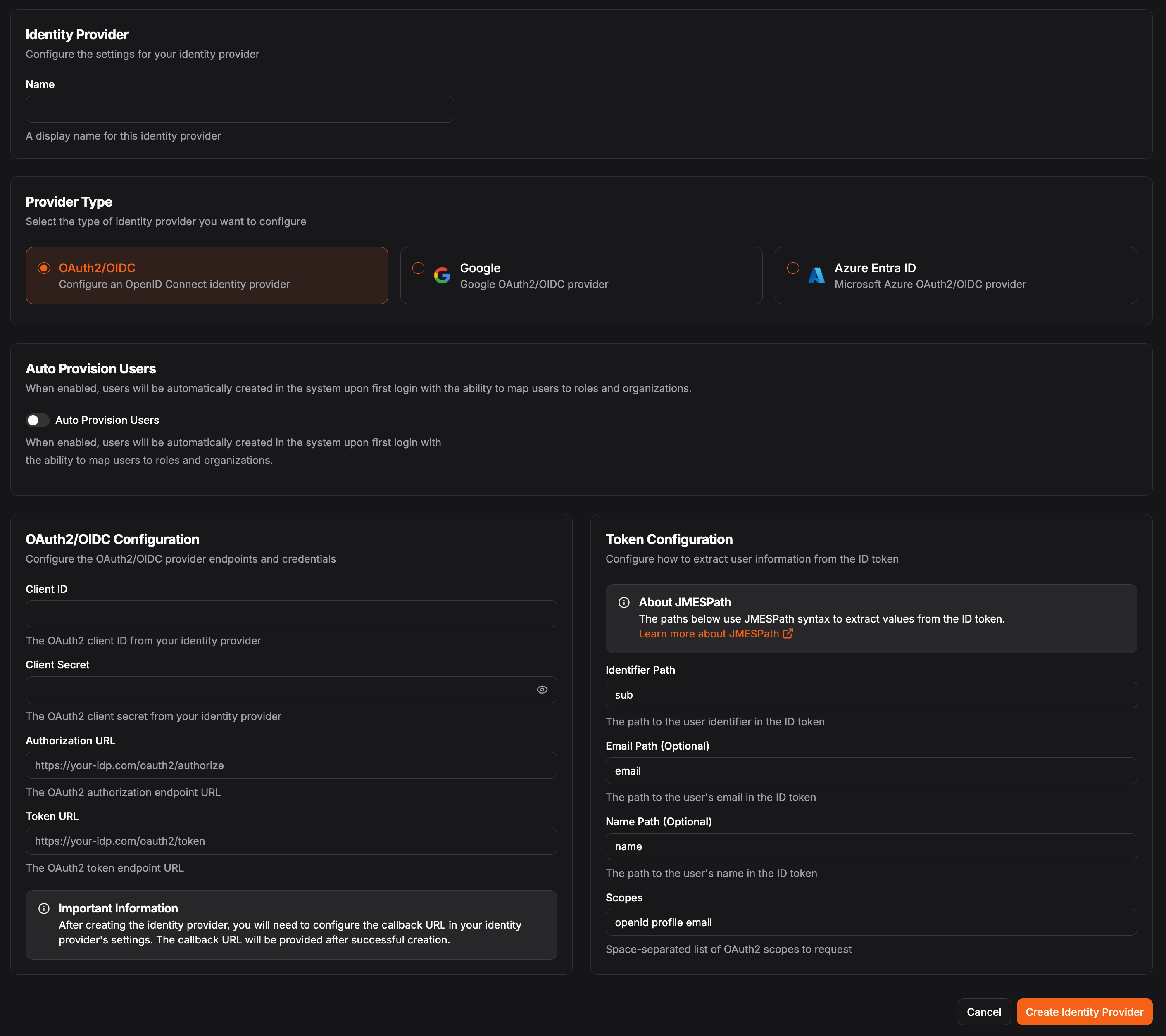
In the OAuth2/OIDC Configuration, you'll need the following fields:
Client IDstringrequiredThe client identifier provided by your identity provider.
Client SecretstringrequiredThe client secret provided by your identity provider.
Authorization URLstringrequiredThe authorization endpoint URL from your identity provider.
Token URLstringrequiredThe token endpoint URL from your identity provider.
Token Configuration
Use JMESPath to select attributes from the claims token. See JMESPath for more information on how to use JMESPath.
Determine how to access information from the claims token returned by the identity provider. This is used to map the user information from the identity provider to the user information in Pangolin.
Identifier PathstringrequiredThis must be unique for each user within an identity provider.
Example: sub or user_id
Email PathstringPath to the user's email address in the claims token.
Example: email
Name PathstringPath to the user's display name in the claims token.
Example: name or preferred_username
ScopesstringThe scopes to request from the identity provider (not JMESPath; must be space-delimited strings).
Default: openid profile email
Generally, openid profile email is sufficient for most use cases.
Was this page helpful?