

Device Approvals
Only allow trusted devices to connect to an organization
Only available in Pangolin Cloud and Enterprise Edition.
By default, any client configured with valid credentials can connect to an organization. To enhance security, you can enable device approvals, which require each new device to be manually approved by an administrator before it can connect.
When device approvals are enabled, the first time a user connects a new device to the organization, the device will be marked as "Pending Approval." An administrator must then review and approve the device in the management console before it can access organization resources.
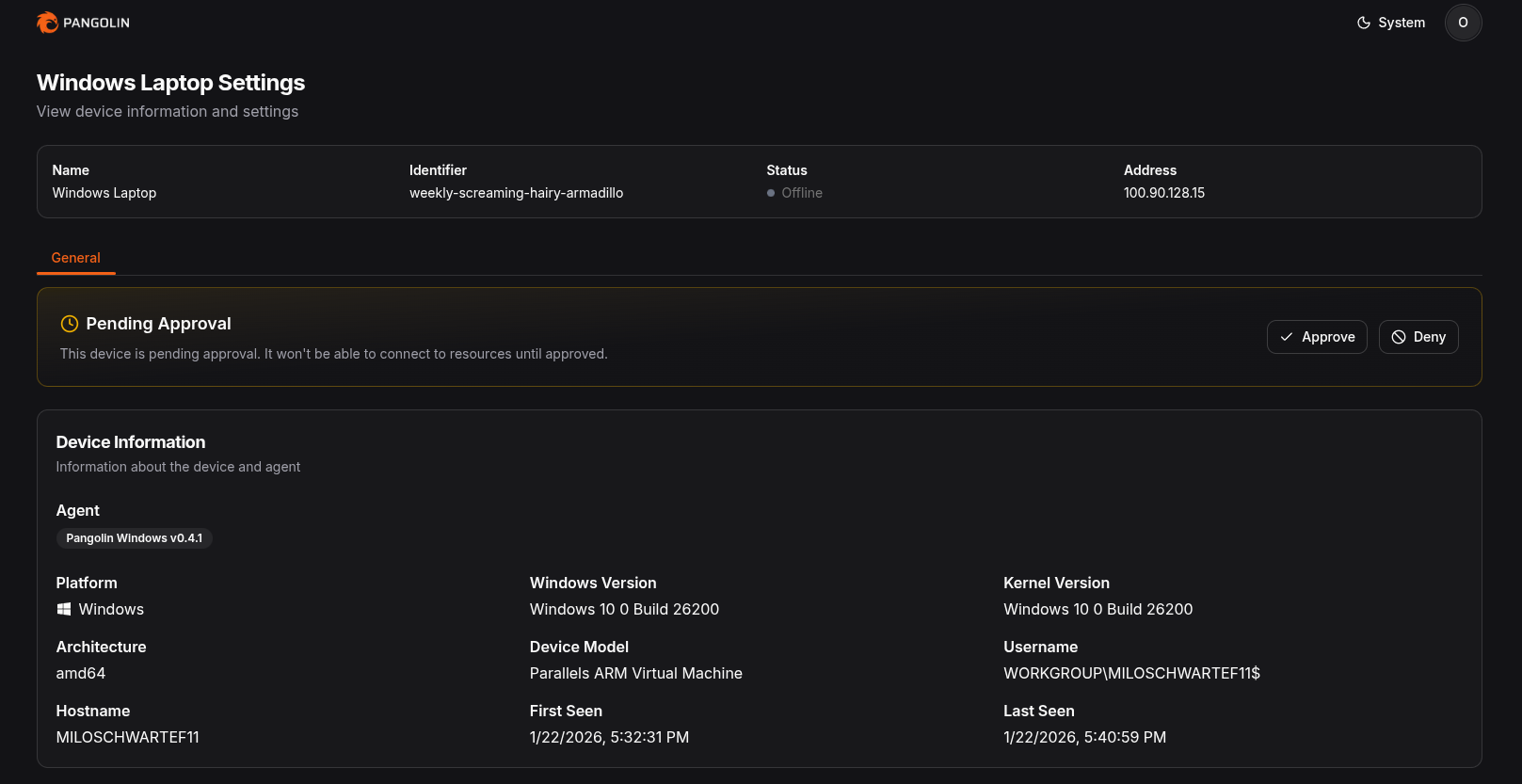
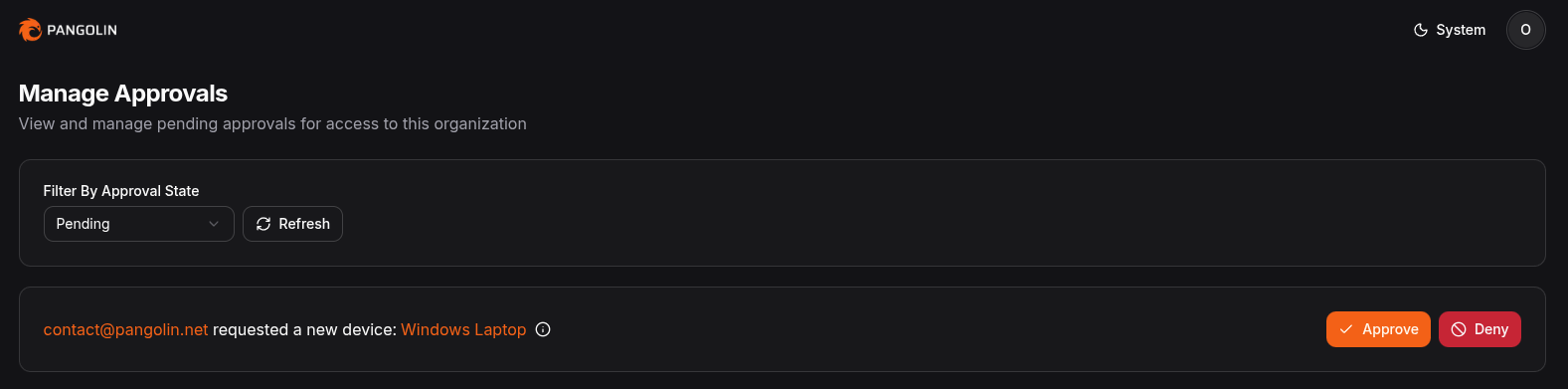
All approvals can also be managed from a central page as they stream in to allow admins to approve or deny devices quickly.
Benefits
- Stolen or phished credentials aren't enough to connect from an unknown device.
- Admins see every new device before it can reach resources.
- Approvals are set per role, so you can require them for some groups and not others.
Use Cases
- Only allow company-issued laptops to connect, not personal devices.
- Require approval for contractor roles while employees connect freely.
- Catch an unexpected new device on a user's account before it reaches sensitive resources.
How Device Approvals Work
- A user in a role that requires approval connects a device for the first time.
- The device shows as Pending Approval and can't reach any organization resources.
- An admin approves or denies it from the device or the approvals page.
- Once approved, the device connects normally. Devices that were already approved aren't asked again.
Enabling Device Approvals
Device approvals are enabled on a per-role basis. To enable device approvals for a role, follow these steps:
- Click on the Roles tab.
- Select the role you want to enable device approvals for.
- Toggle the Require Device Approval option to enable it.
- Save your changes.
Once enabled, any new user connecting with that role will require approval from an administrator before it can access organization resources.
You cannot enable device approvals for the "Admin" role.
Was this page helpful?