

HTTP webhook
Forward audit logs to any HTTP endpoint with optional custom body templates
HTTP destinations POST your organization’s audit logs to a URL you control. Use them for generic webhooks, Splunk HEC, Elastic or OpenSearch ingest, Grafana Loki push endpoints, or any receiver that accepts JSON over HTTP.
Event streaming is only available in Pangolin Cloud or self-hosted Enterprise Edition.
Overview
An HTTP destination sends POST requests to your endpoint. Configure:
- Settings: Name, URL, and authentication.
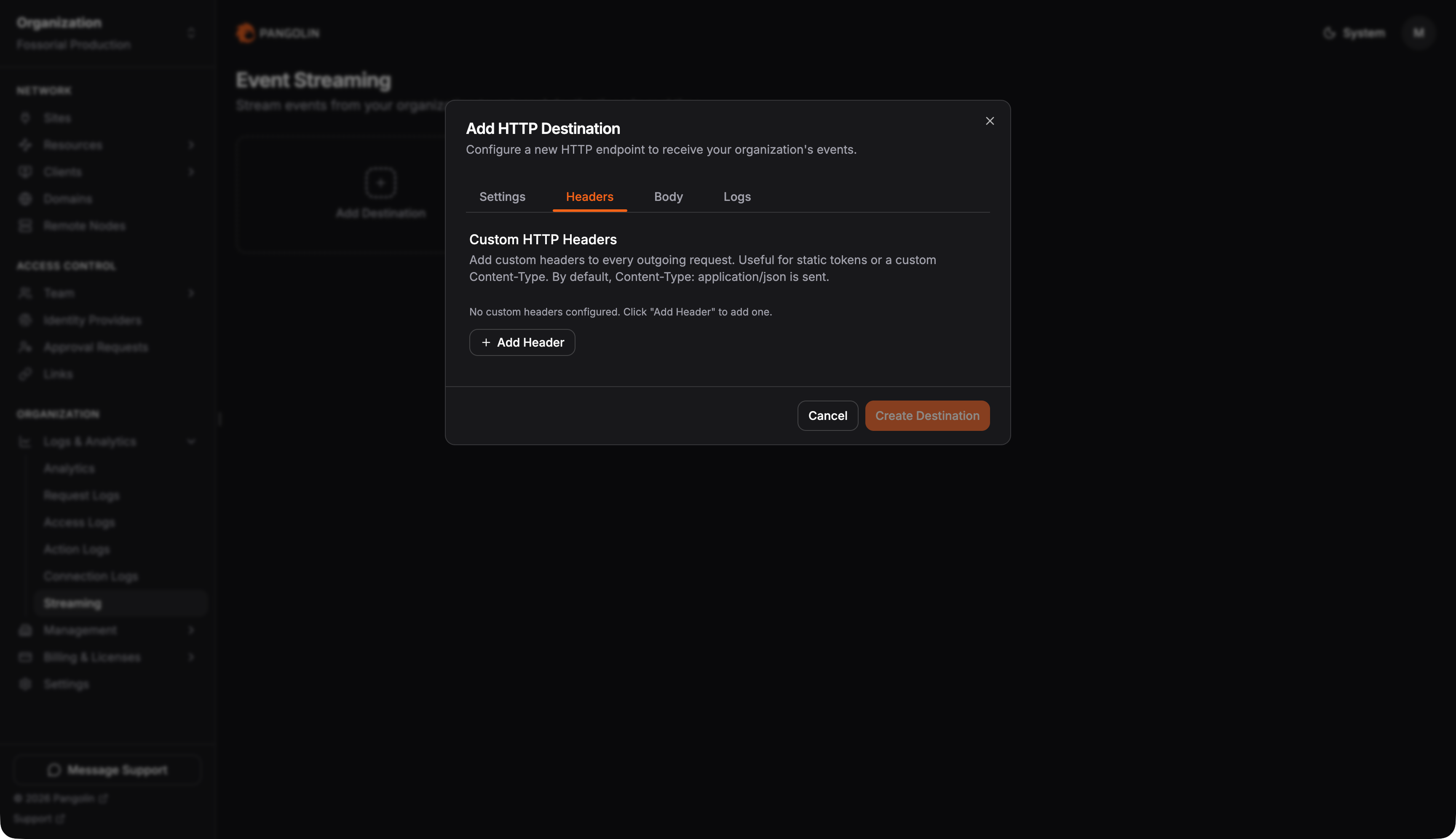
- Headers: Optional static headers on every request.
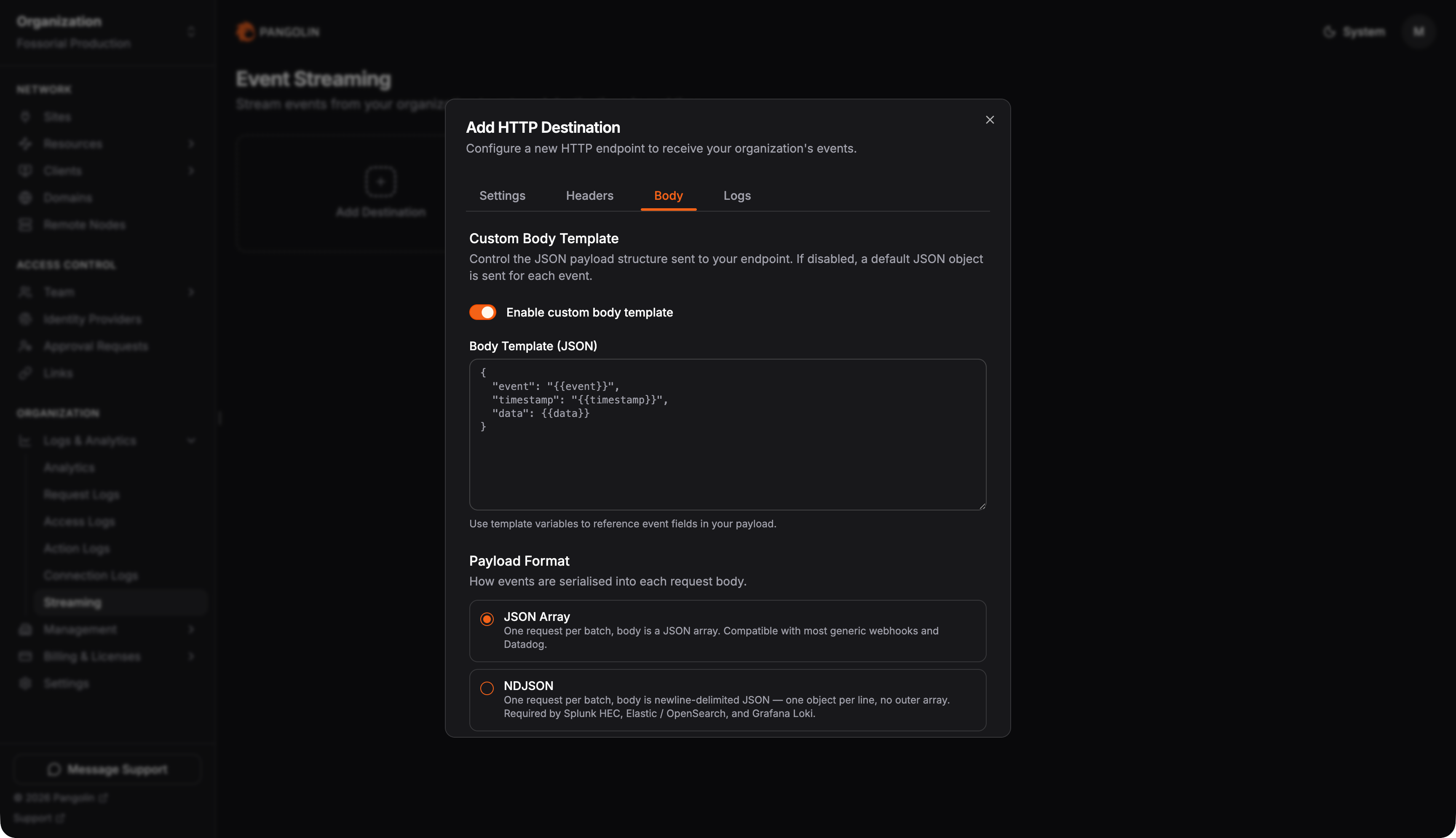
- Body: Default JSON shape or a custom body template, plus payload format (how batches are packaged).
- Logs: Which log types are forwarded.
Enable Custom body template when your receiver expects a different JSON layout than Pangolin’s default. Leave it off to send the standard { event, timestamp, data } object per log record.
Configure the connection
On the Settings tab, set a display name, the endpoint URL, and authentication:
| Auth type | Behavior |
|---|---|
| None | No Authorization header |
| Bearer token | Authorization: Bearer <token> |
| Basic auth | Authorization: Basic <base64(user:password)> |
| Custom header | A single header name and value (for example an API key header) |
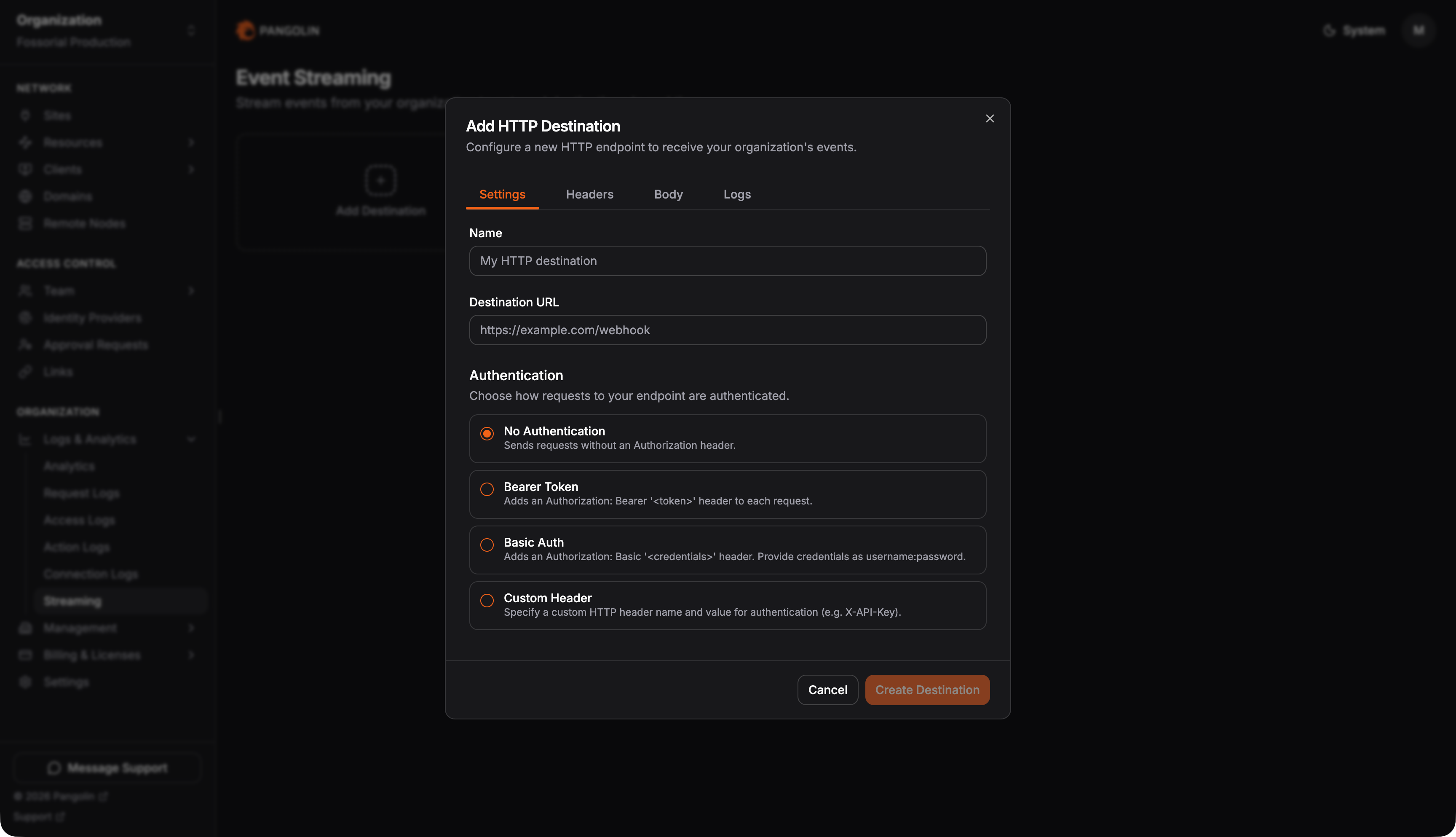
All delivery uses POST. Requests time out after 30 seconds.
Authentication and headers
On the Headers tab, add optional static headers sent with every request, for example a vendor-specific API key or a non-default Content-Type. When you do not override it, Pangolin sends Content-Type: application/json (or application/x-ndjson when using the NDJSON payload format).
Default payload (template off)
When custom body template is disabled, each log event is serialized as:
{
  "event": "request",
  "timestamp": "2025-06-15T12:34:56.789Z",
  "data": {
    "timestamp": 1718454896,
    "action": true,
    "method": "GET",
    "path": "/api/health"
  }
}| Field | Meaning |
|---|---|
event | Log type: request, access, action, or connection |
timestamp | Event time as ISO-8601 UTC |
data | The complete stored log row for that record, not a curated subset |
The field set inside data depends on the log type. The same destination can stream multiple types; batches may contain heterogeneous data shapes. See Log type reference below and the dedicated log docs for full field lists.
Some columns are stored as JSON strings in the database (headers, query, and metadata on request logs, for example). In data, they appear as string values, not nested JSON objects. Parse them on the receiver if you need structured fields.
Custom body template
On the Body tab, enable Custom body template and provide a JSON template string. Pangolin performs simple placeholder substitution, not a full templating language like Handlebars.
Template variables
Only these three placeholders are supported:
| Variable | Source | How to use in the template |
|---|---|---|
{{event}} | Log type (request, access, action, connection) | Inside JSON string quotes |
{{timestamp}} | Event time (ISO-8601 UTC) | Inside JSON string quotes |
{{data}} | Full log row as JSON | Never wrap in quotes; inlined as raw JSON |
Canonical example (equivalent to the default payload):
{
  "event": "{{event}}",
  "timestamp": "{{timestamp}}",
  "data": {{data}}
}
Remapping property names for a downstream schema:
{
  "type": "{{event}}",
  "ts": "{{timestamp}}",
  "payload": {{data}}
}
You may use the same token multiple times and nest placeholders at any depth in your JSON structure. Nested objects and arrays inside the substituted {{data}} value are preserved from the log row.
Rules and constraints
- Simple substitution only: No conditionals, loops, filters, or expressions.
- No field paths: Placeholders like
{{data.orgId}},{{orgId}}, or{{ip}}do not work. To use a single field, read it from the fulldataobject on the receiver or transform after ingest. - Quote
{{data}}correctly:"field": {{data}}is valid;"field": "{{data}}"stringifies the object incorrectly and produces invalid or useless JSON. - One template per destination: The same template applies to every log type enabled on that destination. You cannot define different templates per log type on one HTTP destination.
- String escaping:
{{event}}and{{timestamp}}are JSON-escaped for safe use inside quoted strings. - Invalid JSON: Pangolin does not validate templates at save time. If the rendered body is not valid JSON, delivery may still occur but your receiver may reject it. Validate templates with a JSON linter before saving.
- Not available on other destination types: Body templates apply to HTTP streaming only, not S3 or Datadog destinations.
Payload format
Payload format is separate from the body template. The template defines the shape of one event; payload format controls how many events are sent per HTTP request.
| Format | HTTP body | Content-Type |
|---|---|---|
| JSON array (default) | One POST per batch: [{…}, {…}, …] | application/json |
| NDJSON | One JSON object per line, no outer array | application/x-ndjson |
| One event per request | Separate POST for each event | application/json |
The template is applied once per event, then results are batched into an array, joined as NDJSON lines, or sent individually, depending on the format you select.
Choose NDJSON for aggregators that expect newline-delimited ingest (Splunk HEC, Elastic/OpenSearch bulk-style HTTP inputs, Loki). Choose one event per request when the endpoint cannot accept batches.
Log type reference
The data object in each streamed event is the full stored log row. Field sets differ by log type. See the documentation for that log type under Logs & Analytics for the complete data shape.
Integration examples
Generic webhook (default shape, JSON array)
Leave custom body template disabled. Select JSON array payload format. Point the destination at your webhook URL with bearer or custom-header auth.
Each batch POST body looks like:
[
  {
    "event": "action",
    "timestamp": "2025-06-15T12:34:56.789Z",
    "data": { "action": "updateUser", "actor": "admin@example.com" }
  }
]
Log aggregator (NDJSON, minimal template)
Enable a custom template and select NDJSON:
{
  "type": "{{event}}",
  "ts": "{{timestamp}}",
  "payload": {{data}}
}
Each line in the POST body is one rendered event. Set any vendor-required headers on the Headers tab.
Vendor schema remapping
If a tool expects your log row under a specific key, wrap {{data}} without quotes:
{
  "source": "pangolin",
  "sourcetype": "_json",
  "time": "{{timestamp}}",
  "event": {{data}}
}
Adjust property names to match the vendor; field extraction beyond the three template variables happens on the receiver.
Limitations and troubleshooting
- Field selection: Cannot pick individual columns in the template. Use full
{{data}}or transform after delivery. - Mixed log types: Enabling multiple log types on one destination produces heterogeneous
datain the same batch. Enable one type per destination if your pipeline expects a uniform schema. - Historical logs: New destinations do not backfill. Only events recorded after the destination is created are streamed.
- Delivery errors: Check the destination’s last error in the dashboard. Common causes: wrong URL, auth failure, TLS issues, or receiver rejecting malformed JSON.
- Quoting
{{data}}:"payload": "{{data}}"treats the entire row as a string, which is almost always wrong. Use"payload": {{data}}. - Splunk field extraction: Pangolin does not emit Splunk-style indexed fields in the template. Parse
dataor use a receiver-side pipeline.
Was this page helpful?