

Virtual API Keys
Authenticate AI clients to public AI Gateway resources without sharing upstream provider keys
A virtual API key is a Pangolin credential that AI clients send to a public AI Gateway resource. Users retrieve their identity key by logging in with their existing Pangolin account or identity provider. That key is bound to their Pangolin identity, so calls are attributed to them for auditing, tracking, and access enforcement. When the user is known, Pangolin also forwards that identity upstream as Remote-* headers.
The real OpenAI, Anthropic, Gemini, or other provider key stays on the provider. Pangolin checks the virtual key, then forwards the request with the upstream secret.
These keys are what coding agents put in their API key field. They are not Integration API organization or root keys.
Why Virtual API Keys
Agents and SDKs expect an API key. Virtual keys let many people and services call the gateway while the org keeps a single upstream provider key.
- Revoke or rotate one person or agent's access without rotating the provider key
- Attribute usage to a user or a named key
- Use the same Pangolin credential in clients that send
Authorization: Bearer,x-api-key, orx-goog-api-key
Pangolin accepts the virtual key in those headers and strips it before the upstream call. Keys look like pangolin-key-<id>.<secret>.
Logging into Pangolin in a browser is how you retrieve a key. Model calls still need the virtual key in the request. A dashboard session cookie cannot proxy through the gateway.
Public Resources Only
Virtual keys apply to public AI Gateway resources. Private resources are reached through the Pangolin client, so the gateway does not check a key. Clients still need a placeholder in the key field; use the literal string none. Deleting the field usually breaks the client.
Authentication Is Always On
Public AI Gateway resources always require authentication. Unlike HTTPS public resources, you cannot turn Platform SSO off.
Assign users and roles on the resource the same way you would for a public HTTPS resource. Those grants control who can use an identity key.
HTTPS resources can add PIN, passcode, header auth, shareable links, or email OTP for browser access. AI clients authenticate programmatically, so the gateway uses virtual API keys instead of those methods.
Identity Keys vs Manual Keys
Both kinds are pangolin-key-… secrets. They differ in how access is granted.
Identity Keys
Every organization user already has an identity key. It is unique to their account and authenticates them as that user.
Access follows the resource's Users and Roles, the same way a public HTTPS resource does. Grant the user or their role on the AI Gateway resource, or their identity key cannot call it.
Admins do not mint identity keys; they already exist. To send them out, see Email Keys to Users.
Manual Keys
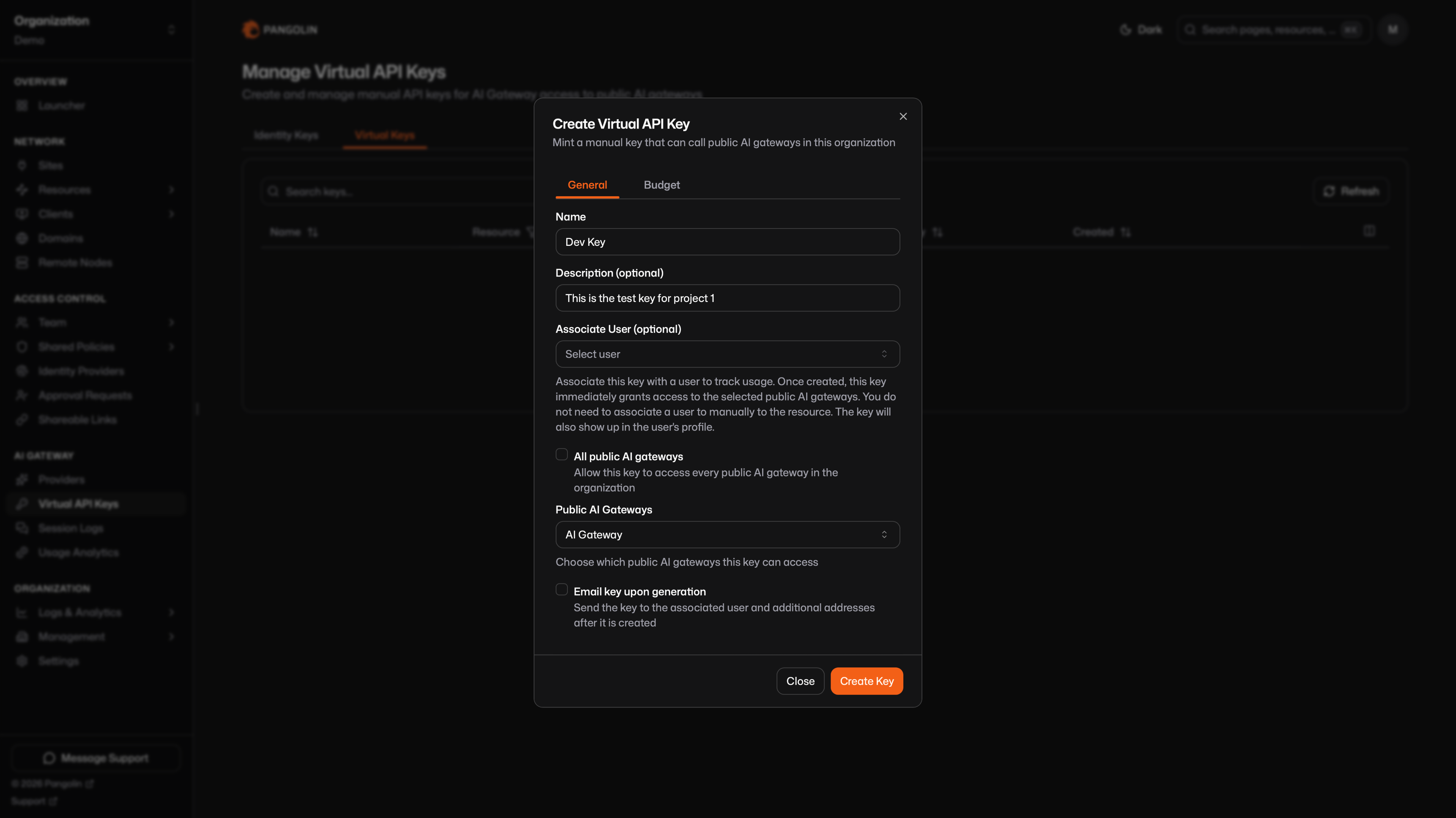
Admins create manual keys at AI Gateway → Virtual API Keys → Virtual Keys. Scope a key to selected public AI gateways, or to every public AI gateway in the org.
Creating the key immediately grants access to those resources, regardless of the users and roles set on the resource. Use this for services, CI, and shared agents that should not depend on a person's resource grants.
You can optionally associate a user. That association is for usage tracking and so the key appears on that user's keys page. It does not change which resources the key can call.
When you create or edit a key, you can attach a budget so spend or tokens on that key are capped.
Where to Get a Key
Your identity key and any manual keys attributed to you are available in three places:
- Visit the public resource URL in a browser and log in with your Pangolin identity. After login, Pangolin shows the key.
- Open the Resource Launcher, select the resource, and use the more-info side panel.
- Go to
https://app.pangolin.net/<org-id>/keys(the org Your API Keys page). On self-hosted Pangolin, use the same path on your dashboard URL, for examplehttps://pangolin.example.com/<org-id>/keys.
See Organization ID if you need to look up <org-id>.
Put that key in the AI client. Visiting the resource in a browser only reveals the key; it does not authenticate the agent's requests.
Email Keys to Users
Admins can email keys so users do not have to find the dashboard page themselves. The message includes the secret and public AI gateway URLs they can call.
Email Identity Keys
AI Gateway → Virtual API Keys → Identity Keys → Email Identity Keys. Send every organization member their identity key, or pick specific users and roles. Recipients without an account email are skipped.
Email Manual Keys
When you create or edit a manual key, enable Email key upon generation (or Email this key). Send it to the associated user and to extra addresses you add.
Self-hosted Pangolin needs SMTP configured before either flow can send mail.
Was this page helpful?