

AI Session Logs
Prompt and response transcripts for AI Gateway requests in an organization
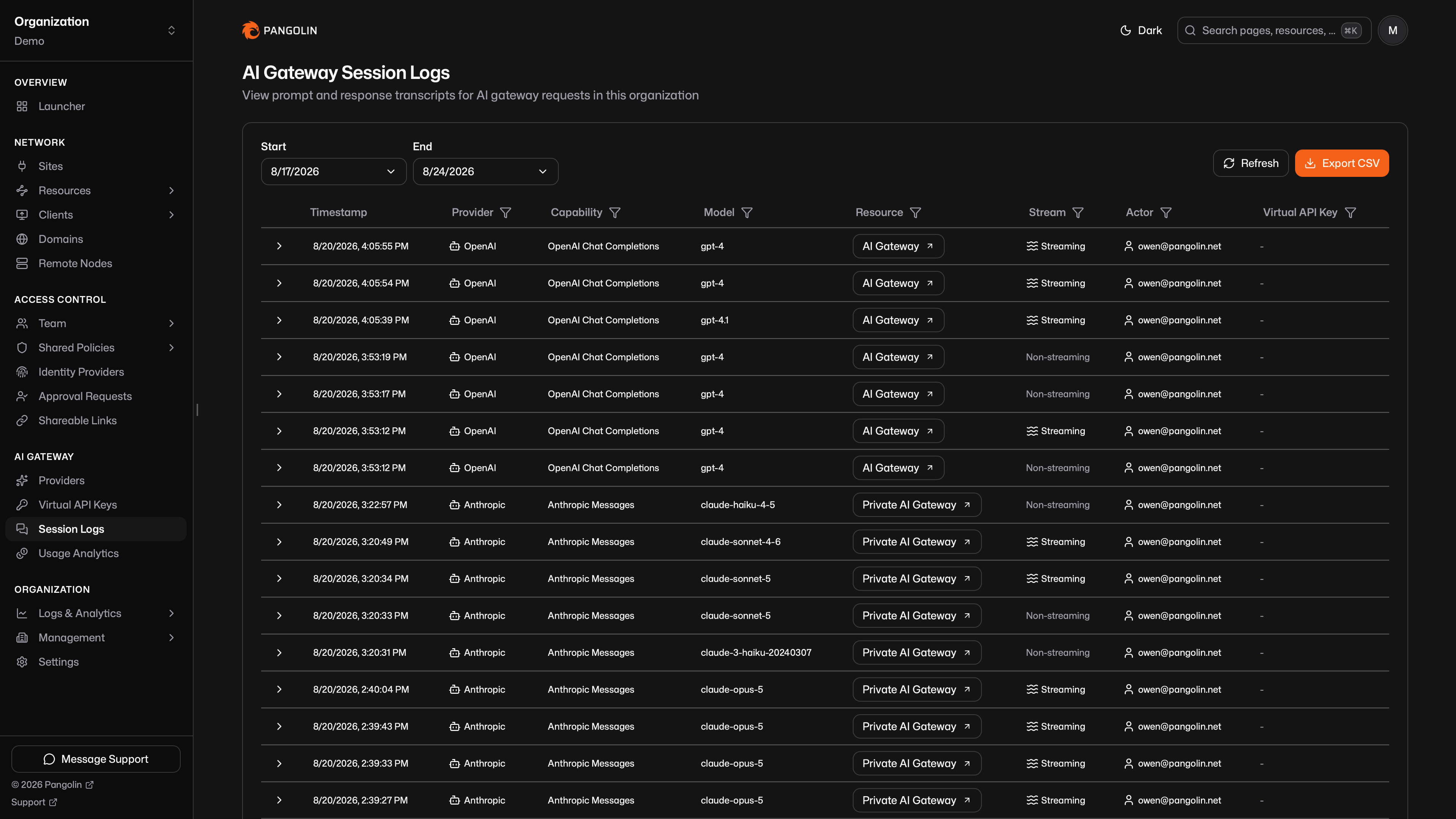
Session logs store the prompt and response for each AI Gateway call. Open AI Gateway > Session Logs to browse them. Use them to see what a client sent, what the upstream returned, and which user, key, provider, and resource handled the call.
Session logs are only available in Pangolin Cloud or self-hosted Enterprise Edition.
Token counts and estimated USD live in Usage Analytics. Those records are separate. Changing session log retention does not delete usage data.
Set AI Gateway Session Log Retention in org settings before you expect rows. The default is 0 days, which leaves logging off.
Enable Retention
In org security settings, set AI Gateway Session Log Retention to how long Pangolin should keep transcripts. Logging starts only after that value is greater than zero. Older rows are removed when they pass the retention window.
What Each Row Contains
After a gateway call that belongs to an organization, Pangolin stores:
- Session id (shared with the usage record for that call)
- Time, HTTP status, and whether the response was streamed
- Capability, provider, and requested model
- Public or private resource
- User and virtual API key, when they are known
- Raw request and response bodies
- Normalized chat messages used for the transcript view
Expand a row to see session id, status, catalog cost and tokens (joined from usage), and the transcript. Toggle between the chat view and raw JSON.
Very large bodies are truncated at about 200,000 characters. Truncated rows are marked in the UI.
Filters
Narrow the table by date range, then:
- Provider
- Capability
- Resource
- User
- Virtual API key
- Model
- Streaming or not
Export
Export the current filters as CSV from the table, the same way as other organization logs.
Streaming
Session logs can be streamed (like all other logs) to upstream SIEM providers or other data sources. You can set this up following the streaming documentation.
Was this page helpful?