

AI Providers
Connect upstream model APIs once per organization, then attach them to AI Gateway resources
A provider is an organization-level connection to an upstream model API. It stores the provider type, credentials, base URL, API capabilities, and optional model allow and block lists. Create providers once, then attach them to any AI Gateway resource in the org. Clients call the resource's domain, not the provider directly.
See AI Gateway Overview for creating a resource and issuing keys. See Provider Configuration for capabilities, auth, and routing. See Model Routing for allow lists, inherit vs select, and how the gateway picks a provider. See Model Catalog for known models and pricing used by routing and budgets.
What a Provider Is
Sidebar → AI Gateway → Providers → Create.
Each provider is:
- A type (OpenAI, Anthropic, Google Gemini, and others) that fills in recommended defaults
- Credentials and a base URL the gateway uses when it forwards a request
- Capabilities that declare which API formats the provider can handle
- Optional allow and block lists that restrict which model keys may be used
Providers are reused across resources. The resource still owns the public URL and the keys clients authenticate with.
Attach to a Resource
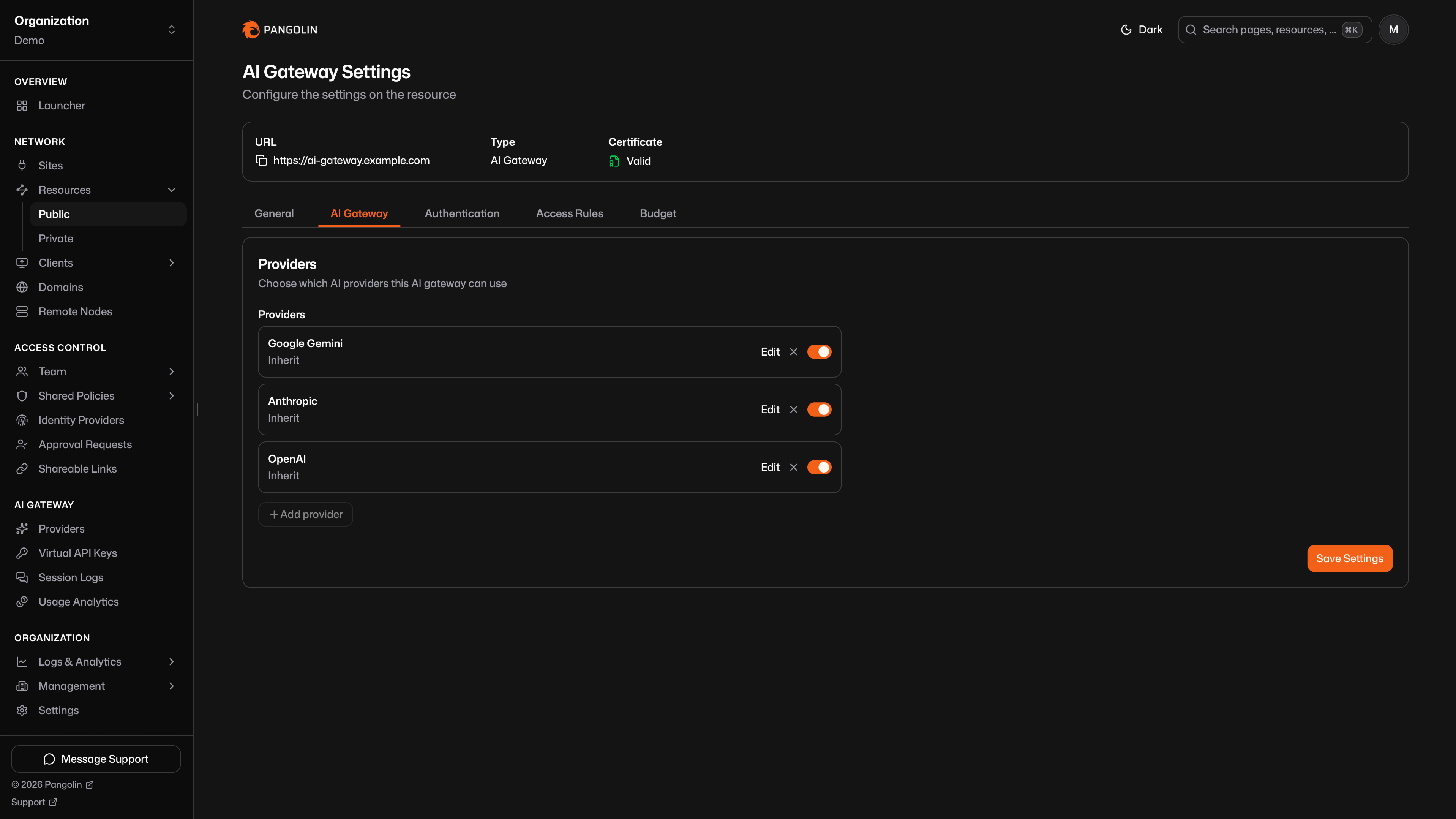
On an AI Gateway resource, attach one or more providers from the AI Gateway settings tab. For each attachment you can inherit the provider's model lists or select a subset. Details are in Model Routing.
The resource only speaks the API formats its attached providers advertise. Attach whichever providers match the clients you plan to connect.
Provider Types
| Provider | Default capabilities | Guide |
|---|---|---|
| OpenAI | Chat Completions, Responses | Configure OpenAI |
| Anthropic | Messages, Models | Configure Anthropic |
| Google Gemini | Gemini Generate Content | Configure Google Gemini |
| Vertex AI | Vertex Generate Content, Raw Predict | Configure Vertex AI |
| Amazon Bedrock | Bedrock Converse | Configure Amazon Bedrock |
| Microsoft Foundry | Chat Completions, Responses, Messages, Models | Configure Microsoft Foundry |
| OpenRouter | Chat Completions | Configure OpenRouter |
| Vercel AI Gateway | Chat Completions, Responses | Configure Vercel AI Gateway |
| Custom | Whatever you select | Configure Custom |
Custom also covers local engines, downstream routers, and cloud APIs sent through a site. See Ollama, vLLM, Bifrost, and Cloud APIs Through a Site.
Was this page helpful?